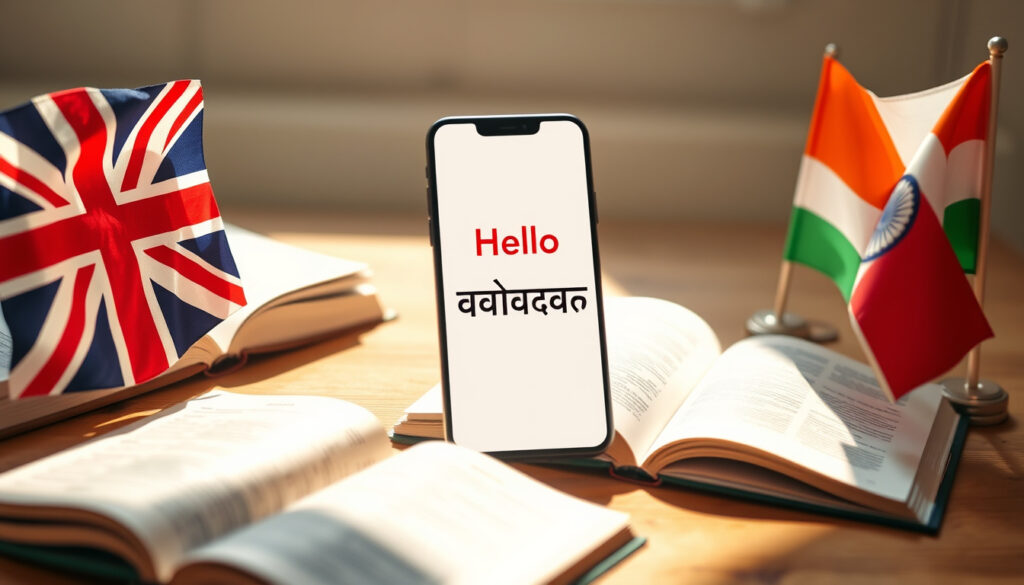
English to Hindi Translation – Best Free Apps and Guides
English to Hindi translation has become increasingly accessible through a range of free tools, mobile apps, and web platforms. Whether you need to translate typed text, scanned documents, or spoken words, multiple services now offer instant English-Hindi conversion with varying levels of accuracy and feature depth. Understanding which tool best suits specific needs—be it casual conversation support, document translation, or grammar-focused output—can save time and improve results significantly.
Google Translate leads the market as the top-rated free option for English-Hindi translation in 2024-2025 reviews, praised for its versatility across text, voice, photo, and offline modes. Alternative services like Microsoft Translator, Hi Translate, and Reverso offer stronger grammar handling and document support, though some features require premium subscriptions. The landscape has expanded beyond simple text input to include photo translation, PDF handling, and real-time conversation modes.
This guide compares the most effective English to Hindi translation tools available, covering mobile apps, web interfaces, input methods, and accuracy considerations to help users select the right solution for their specific requirements.
Best English to Hindi Translation Apps
Several translation applications have established themselves as reliable options for English-Hindi conversion. The selection varies from completely free services with basic features to premium platforms offering advanced grammar checking and document formatting preservation.
For most users beginning with English to Hindi translation, Google Translate provides the strongest balance of accessibility, accuracy, and zero cost. Its offline Hindi language pack can be downloaded for use without internet connectivity.
Users prioritising free, unlimited text and voice translation typically find Google Translate sufficient for everyday needs. The service supports real-time conversation mode, camera-based photo translation, and downloadable offline language packs directly from the Google Play Store.
Top Translation Apps at a Glance
The following overview highlights key capabilities across the leading translation applications:
- Google Translate — Free, supports text, voice, photo, and offline Hindi mode
- Microsoft Translator — Free core features with strong real-time conversation support
- Hi Translate — Free with ads; premium unlocks PDF/Word translation and ChatGPT integration
- English Hindi Translator (Mobilion) — Fully free, rated 5.0 stars for simple voice and text needs
- Reverso Translate & Learn — Free tier available with premium grammar and learning tools
Apple users on iOS can also access the built-in Translate app, which offers text, voice, and conversation modes comparable to Google’s offering. Additional tools such as Yandex Translate and Naver Papago rank among the top Android options, though neither matches the overall versatility of Google Translate.
Key Insights on English to Hindi Tools
- Google Translate dominates for quick translations due to its broad feature set and zero cost
- Mobile apps excel in offline functionality and voice input capabilities
- Grammar accuracy varies significantly; AI-powered tools like Reverso and QuillBot offer stronger contextual handling
- Document translation capabilities remain limited in free tiers; premium Hi Translate preserves formatting in PDFs and Word files
- User ratings favour Google Translate for general use, while Reverso scores highly among language learners
- Most apps struggle with idiomatic expressions and regional Hindi dialects
Quick Facts Table
| Tool | Free Access | Photo/PDF Support | Grammar Focus |
|---|---|---|---|
| Google Translate | Complete free access | Photo yes; PDF limited text extraction | Basic |
| Microsoft Translator | Free core features | Photo and PDF support | Good |
| Hi Translate | Free with ads | PDF, Word, Excel with formatting | Good |
| English Hindi Translator | Fully free | Text focus only | Medium |
| Reverso | Free tier available | Limited | Strong contextual |
| QuillBot | Basic free | Text only | AI enhanced |
How to Use Google for English to Hindi Translation
Google Translate serves as the primary web-based interface for English-Hindi conversion, accessible at translate.google.co.uk. The platform operates through a straightforward input-output model, accepting typed text, voice input, or image uploads and returning translations instantly.
To use the service, users select English as the source language and Hindi as the target language from the dropdown menus at the top of the interface. Typing or dictating text into the left panel generates an immediate Hindi translation on the right. The camera icon enables photo translation, where pointing the device at Hindi text overlays English translations in real time.
Web Interface Features
The web interface includes several capabilities worth noting. Users can enable conversation mode for hands-free bilingual exchanges, listen to pronunciations by tapping the speaker icon, and save translations to a phrasebook for future reference. The service also supports document upload for basic text extraction from files.
Offline functionality requires downloading the Hindi language pack beforehand through the web interface or mobile app. Once downloaded, the translation engine operates without requiring an active internet connection—a feature particularly useful when travelling or working in areas with limited connectivity.
Downloading the Hindi language pack before travelling ensures uninterrupted translation capability. This is available at no charge through both the web interface and mobile applications.
Mobile App Availability
Google Translate is available as a dedicated mobile application for both Android and iOS devices. The apps mirror most web functionality while adding platform-specific features such as real-time transcription during live speech and augmented reality photo translation. According to 2024-2025 reviews, the mobile apps rank among the most downloaded translation utilities in both app stores.
English to Hindi Typing and Input Methods
Typing directly in Hindi script presents a common challenge for users accustomed to Latin keyboards. Several dedicated tools address this need by providing Hindi input methods, virtual keyboards, and phonetic typing systems that convert Romanised text into Devanagari script.
Easy Hindi Typing focuses specifically on English to Hindi typing conversion, allowing users to type phonetically while the platform transliterates to Hindi script in real time. This approach requires no knowledge of Hindi keyboard layouts and accommodates users who can type in Roman characters.
Typing Tools and Platforms
Beyond dedicated typing services, multiple platforms incorporate Hindi input as part of their translation workflow. Google input tools, available as browser extensions and mobile keyboards, enable Hindi typing across websites and applications. Similarly, LingvaNex and Typing Baba provide typing-focused interfaces suitable for quick text translation tasks.
These tools operate through romanisation—users type using English letter approximations of Hindi sounds, and the platform automatically converts the input to Hindi script. For example, typing “namaste” produces “नमस्ते” in Hindi. This method lowers the barrier to entry for users unfamiliar with Devanagari keyboard layouts.
Phonetic typing systems may produce inconsistent results with words that have multiple Hindi spellings or regional pronunciation variations. Reviewing output for accuracy remains advisable, especially for formal documents.
Physical and Virtual Keyboards
Users seeking authentic Hindi keyboard input can configure device keyboards to include Hindi as an input option. Both Android and iOS devices support Hindi keyboard layouts through system settings, enabling direct typing in Devanagari script without relying on romanisation. This approach suits users who prefer physical keyboards or have learned Devanagari character placement.
Translate Photos, PDFs, and Sentences from English to Hindi
Handling diverse input formats represents a key differentiator among translation tools. Some services excel at text-based conversion but struggle with image-based or document-based inputs, while others prioritise document translation with formatting preservation.
Photo and Image Translation
Photo translation works by capturing text within images and converting it to the target language. Google Translate supports this feature through its camera mode, allowing users to point their device at signs, menus, documents, or other printed Hindi text to receive instant English translations overlaid on the original image.
Hi Translate and Microsoft Translator offer similar photo translation capabilities, with Hi Translate providing additional support for extracting text from complex image types. The technology uses optical character recognition to identify Hindi text within images before performing translation—a process that works best with clear, printed text rather than handwritten or stylised fonts.
PDF and Document Translation
Document translation presents greater technical challenges than simple text or photo input. Google Translate handles PDFs through text extraction, pulling readable text from documents and converting it to Hindi. However, formatting, images, and complex layouts may not be preserved in the output.
Hi Translate distinguishes itself with PDF, Word, and Excel translation that attempts to maintain original document formatting. According to information available through the Google Play Store listing, the premium version can translate documents while keeping tables, images, and layout structure intact. This feature makes Hi Translate more suitable for professional document conversion needs.
Sentence-Level Translation
For individual sentence translation, most platforms perform adequately with common phrases and everyday language. Google Translate delivers strong results for simple sentences, according to recent reviews. More complex sentences involving idioms, cultural references, or nuanced grammar may require additional review regardless of which tool is used.
Reverso offers particular value for sentence-level translation with its learning-focused approach, providing contextual examples alongside translations to help users understand how phrases apply in different contexts. This makes Reverso particularly useful for language learners seeking both translation and educational value.
English to Hindi Translation with Correct Grammar
Grammar accuracy varies considerably across English to Hindi translation tools. While basic translation services handle straightforward sentences adequately, complex grammatical structures, gendered language, and formal versus informal registers often expose limitations in automated systems.
Understanding Grammar Performance
Google Translate achieves strong results for everyday sentences but demonstrates weaker performance with idiomatic expressions, regional dialects, and contextually nuanced Hindi. The platform handles standard grammar rules reasonably well but may produce unnatural phrasing for literary or specialised content.
Microsoft Translator and Reverso perform better with grammar-intensive text. Reverso in particular scores highly for contextual accuracy, according to professional translator assessments, making it a preferred choice when translation quality matters more than speed or convenience.
For official documents, legal texts, or publication-quality Hindi translation, human review remains recommended even when using the most accurate AI tools. No automated system achieves perfect grammar handling for complex or stylistically demanding content.
AI-Powered Grammar Enhancement
Premium tiers from Hi Translate and Reverso incorporate AI-powered grammar checking that identifies and corrects common errors in Hindi output. These systems learn from corrections and provide explanations alongside suggested revisions, serving both translation and language learning purposes.
QuillBot, while primarily known for English language enhancement, offers translation features that apply AI polishing to converted text. Users working with English to Hindi translation may find QuillBot useful for refining the grammatical quality of initial translations from other tools.
Evolution of English to Hindi Translation Tools
English to Hindi translation capability has developed significantly over the past two decades, progressing from basic word-for-word substitution to sophisticated neural machine translation systems capable of handling contextual nuance and natural language patterns.
- 2000s: Early web-based translation services launch, including Google Translate in 2006, offering limited English-Hindi support with rule-based translation engines
- 2010s: Mobile applications emerge with camera-based photo translation and voice input; Google Translate gains offline Hindi support through downloadable language packs
- 2015–2019: Neural machine translation replaces earlier statistical approaches, dramatically improving fluency and grammatical accuracy across language pairs
- 2020–2022: AI integration accelerates; platforms begin incorporating large language model capabilities for better contextual understanding
- 2023–2025: Premium features expand to include document formatting preservation, ChatGPT-powered translation in Hi Translate, and real-time conversation transcription
The trajectory suggests continued improvement in translation accuracy, particularly for grammatically complex sentences and idiomatic expressions. AI advances continue to narrow the gap between automated and human translation quality for everyday use cases.
Translation Accuracy: What to Expect
Setting realistic expectations for translation accuracy helps users determine when automated tools suffice and when human review becomes necessary.
| Translation Type | Expected Accuracy Range |
|---|---|
| Everyday conversational sentences | 85–95% |
| Simple typed text | 90–95% |
| Photo-captured text | 80–90% |
| PDF/document text | 75–85% |
| Complex grammar or idioms | 60–75% |
| Regional or literary Hindi | Variable; may require human review |
Free services like Google Translate perform within the higher accuracy ranges for standard sentences but may falter with nuanced content. Premium tools including Hi Translate and Reverso offer improvements for grammar-intensive material, though users should verify output for any mission-critical applications.
Analysis: Choosing the Right Tool
Selecting an English to Hindi translation tool depends heavily on specific use cases, frequency of use, and quality requirements. Understanding the strengths of each option prevents wasted effort on mismatched solutions.
For Daily Communication Needs
Google Translate remains the default choice for quick, ad-hoc translations involving casual conversation, travel phrases, or simple document snippets. Its zero cost, offline capability, and broad platform availability make it ideal for users who need translation occasionally without commitment to a particular service.
For Document and File Translation
When translating PDFs, Word documents, or Excel files that require formatting preservation, Hi Translate’s premium tier offers the most complete solution. The ability to maintain document structure while converting text addresses a gap that many free tools leave unfilled.
For Grammar-Focused Precision
Language learners, students, and professionals requiring accurate grammar may prefer Reverso for its contextual learning features and superior handling of complex sentence structures. The platform’s built-in examples and grammar explanations add educational value beyond simple translation.
For Voice and Conversation Support
Microsoft Translator ranks highly for real-time conversation support, particularly in group settings where multiple participants speak different languages. Its free tier includes robust voice translation that performs reliably in live dialogue situations.
Sources and Expert Notes
Multiple sources inform the assessments and comparisons presented throughout this guide. Review methodologies and credibility indicators help readers evaluate the reliability of recommendations.
Google Translate emerged as the top-rated free English-to-Hindi translation option in 2024-2025 reviews, recognised for high accuracy across text, voice, photo, and offline modes. Microsoft Translator and Hi Translate follow as strong alternatives with distinct feature advantages.
— Based on aggregated reviews from SmartPrix, Times of India technology coverage, and YouTube technology guides
User ratings provide additional perspective. The English Hindi Translator app by Mobilion maintains a 5.0-star rating across 97 reviews on the Google Play Store, indicating strong user satisfaction for basic translation needs. Reverso Translate & Learn holds a 4.7-star rating with over 263,000 reviews, reflecting widespread adoption among language learners.
Professional translator assessments from the American Translators Association note that while AI translation tools have improved substantially, human review remains advisable for formal, legal, or literary content where precision carries significant consequences.
What’s Next for English to Hindi Translation
The trajectory for English to Hindi translation points toward continued improvement in several key areas. AI-powered grammar enhancement is advancing rapidly, with large language models demonstrating increasingly sophisticated understanding of Hindi grammatical structures and contextual nuance.
Offline functionality continues to expand, with developers prioritising reliable performance without internet connectivity. Document translation capabilities are also improving, with formatting preservation becoming more consistent across premium platforms.
For users seeking to translate English to English—perhaps to simplify complex text—alternative tools like summarisation services may complement the translation workflow, though the focus here remains on English-Hindi conversion. Users are encouraged to test multiple platforms against their specific use cases, as translation quality can vary significantly depending on content type and context.
Frequently Asked Questions
Is Google Translate completely free for English to Hindi translation?
Yes, Google Translate provides complete free access for English to Hindi translation across text, voice, photo, and offline modes with no advertisements or subscription requirements.
Which app works best for translating photos of Hindi text?
Google Translate excels at photo translation, using camera-based text recognition to overlay English translations on Hindi text captured through the device camera.
Can I translate PDF documents from English to Hindi while preserving formatting?
Free tools like Google Translate offer limited PDF support through text extraction but do not preserve formatting. Premium Hi Translate maintains document structure including tables, images, and layout during translation.
Which tool handles grammar most accurately for English to Hindi translation?
Reverso Translate & Learn scores highest for contextual and grammatical accuracy according to professional assessments, making it suitable for users prioritising translation quality over convenience.
Is offline translation available for English to Hindi?
Google Translate, Microsoft Translator, and several other apps support offline translation through downloadable language packs. The Hindi language pack can be installed without charge before travelling or working in areas without internet access.
Do translation apps support Hindi voice input?
Most leading translation apps including Google Translate, Microsoft Translator, and Hi Translate support voice input, allowing users to speak in English and receive Hindi translations. Real-time conversation mode enables bilingual exchanges between speakers of different languages.
What should I use for translating complex sentences with idioms?
Automated tools including Google Translate struggle with idiomatic expressions and nuanced Hindi. For complex or stylistically demanding content, Reverso offers better contextual handling, though human review remains recommended for professional applications.
More related posts
 Evri Customer Service Number – Official Phone and Contact Details
 Cast of Peter Pan 2003 – Full Guide to Actors and Roles
 How to Stop Whooping Cough at Night – Proven Tips for Restful Sleep
 Google Reverse Image Search – How to Use on Desktop and Mobile
 Low Maintenance Short Haircuts – Easy Styles for Every Hair Type
 How Old Is Kylie Minogue – Age 57 in 2025 and Key Facts
 Instagram Profile Picture Viewer – Best Free HD Tools 2025
 Zone 2 Heart Rate – Calculate Yours, Benefits and Training Tips